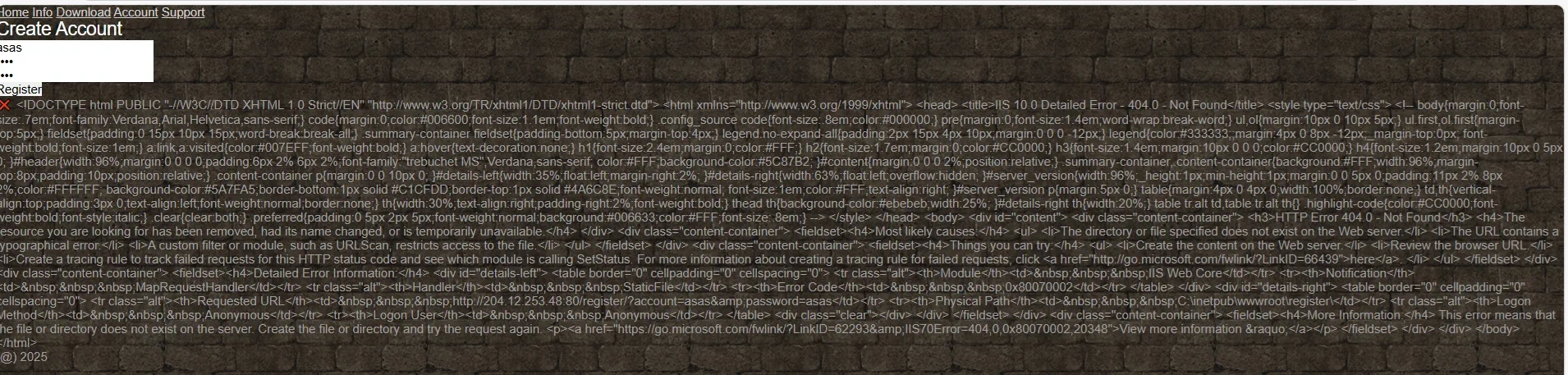
Thanks, everything works very good. I didint opened manual starting files. And little edited account page, added captcha, to prevent flood registration maybe it will be useful:
<!DOCTYPE html>
<html lang="en">
<head>
<meta charset="UTF-8">
<meta name="viewport" content="width=device-width, initial-scale=1.0">
<title>Account Registration</title>
<link rel="stylesheet" href="style.css">
<style>
#captcha-container {
margin: 15px 0;
padding: 10px;
background: #f5f5f5;
border-radius: 5px;
text-align: center;
border: 1px solid #ddd;
}
#captcha-question {
font-weight: bold;
margin-right: 10px;
color: #333;
}
#captcha-answer {
width: 60px;
padding: 8px;
margin: 0 10px;
border: 1px solid #ccc;
border-radius: 4px;
background: white;
}
#captcha-container button {
background: #e9e9e9;
border: 1px solid #ccc;
border-radius: 4px;
cursor: pointer;
padding: 5px 10px;
}
</style>
</head>
<body>
<nav>
<a href="index.html">Home</a>
<a href="info.html">Info</a>
<a href="download.html">Download</a>
<a href="account.html">Account</a>
<a href="support.html">Support</a>
</nav>
<div class="form-container small">
<h2>Create Account</h2>
<input type="text" id="login" placeholder="Username"><br>
<input type="password" id="password" placeholder="Password"><br>
<input type="password" id="confirm" placeholder="Confirm Password"><br>
<!-- CAPTCHA Section -->
<div id="captcha-container">
<span id="captcha-question"></span>
<input type="number" id="captcha-answer" placeholder="?">
<button type="button" onclick="refreshCaptcha()" title="Refresh">⟳</button>
</div>
<button onclick="register()">Register</button>
<div id="message" class="message"></div>
</div>
<script>
// CAPTCHA variables
let captchaSolution = 0;
// Generate random CAPTCHA on page load
document.addEventListener('DOMContentLoaded', generateRandomCaptcha);
function generateRandomCaptcha() {
const num1 = Math.floor(Math.random() * 10) + 1;
const num2 = Math.floor(Math.random() * 10) + 1;
captchaSolution = num1 + num2;
document.getElementById('captcha-question').textContent = `${num1} + ${num2} =`;
document.getElementById('captcha-answer').value = '';
}
function refreshCaptcha() {
generateRandomCaptcha();
}
async function register() {
const login = document.getElementById('login').value.trim();
const pass = document.getElementById('password').value;
const confirm = document.getElementById('confirm').value;
const captchaAnswer = parseInt(document.getElementById('captcha-answer').value);
const msg = document.getElementById('message');
// Clear previous messages
msg.className = 'message';
msg.textContent = '';
// Validation
if (!login || !pass) {
msg.textContent = "Please fill all fields.";
return;
}
if (pass !== confirm) {
msg.textContent = "Passwords do not match.";
return;
}
if (isNaN(captchaAnswer) || captchaAnswer !== captchaSolution) {
msg.textContent = "Incorrect CAPTCHA answer. Please try again.";
generateRandomCaptcha();
return;
}
msg.textContent = "Registering...";
try {
// Using GET request as it was working before
const response = await fetch(`
Вы не можете просматривать ссылку пожалуйста воспользуйтесь следующими ссылками
Вход или
Регистрация
{encodeURIComponent(login)}&password=${encodeURIComponent(pass)}`);
if (!response.ok) {
throw new Error(`HTTP error! status: ${response.status}`);
}
const text = await response.text();
if (text.includes("OK")) {
msg.textContent = "Account created successfully!";
// Clear form on success
document.getElementById('login').value = '';
document.getElementById('password').value = '';
document.getElementById('confirm').value = '';
} else if (text.includes("exists")) {
msg.textContent = "Account already exists.";
} else {
msg.textContent = "

" + text;
}
generateRandomCaptcha(); // Generate new CAPTCHA after registration attempt
} catch (e) {
console.error('Registration error:', e);
msg.textContent = "Error: " + e.message;
generateRandomCaptcha(); // Generate new CAPTCHA on error
}
}
</script>
<footer class="site-footer">
(@) Z0N4R1E 2025
</footer>
</body>
</html>