
Установить приложение
Как установить приложение на iOS
Посмотрите видео ниже, чтобы узнать, как установить наш сайт в виде веб-приложения на главном экране.
Примечание: Эта функция может быть недоступна в некоторых браузерах.
Вы используете устаревший браузер. Этот и другие сайты могут отображаться в нём некорректно.
Вам необходимо обновить браузер или попробовать использовать другой.
Вам необходимо обновить браузер или попробовать использовать другой.
Софт Auto Login/Save para Interlude, 166, 474, 509, 520, 542.
- Автор темы Luan
- Дата начала
Дополнительные настройки
Кто ответил?



nice work.


github is already in the main post.Hi, will you be uploading source code at some point? I'd like to make some adjustments. It's a very good system. Regards.

Thanks
thank


nice shared

very niceI was doing some research the other night.Посмотреть вложение 95439
I remembered the AAC Auto Login and the similar style done in Interface.
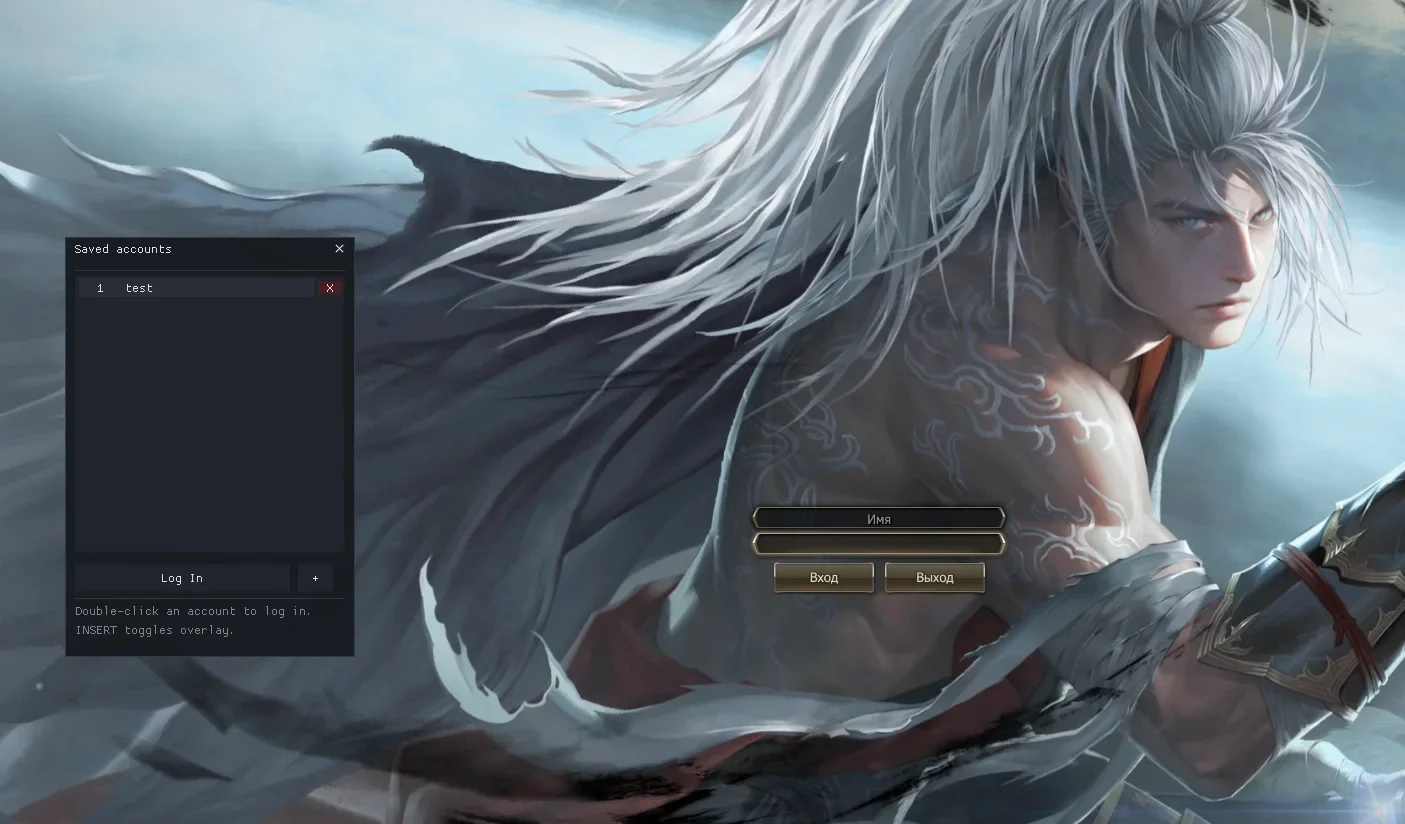
Thinking about that, I'm tinkering with this here, screenshots below.
Currently tested: In Systems:
C4
Lucera Interlude
Lucera Interlude Classic (166)
Essence:
474 (Assassin)
509 (Wolf)
520 (Rose)
542 (Samurai)
Посмотреть вложение 95440
Accounts are not saved in the System.Посмотреть вложение 95444
So there's no problem sharing the System with other users and forgetting to delete the "AutoLogin.ini" file.
When you type your login and password in the game, it's saved automatically.
You can delete the accounts.
I'm still developing, improving, and fixing bugs; I'll add support for more clients.
I'll see if it's possible to add it to C4 and lower (I'll check later). Add it to HELLBOUND, GRACIA, HIGH FIVE, and other chronicles where possible.
===== TUTORIAL ====
Currently, I leave the DLL as l2ui.dll or change name..
You can name it anything.
I tested it on a C4 server and it worked.
Using CFF Explorer to link the DLL to ENGINE.DLL
CFF Explorer Download:Вы не можете просматривать ссылку пожалуйста воспользуйтесь следующими ссылками Вход или Регистрация
Drag ENGINE.DLL into the program.
Посмотреть вложение 95441
Then in Importer Adder
Select your dll (L2UI.DLL or the name you gave it)
Посмотреть вложение 95443
Select the L2UI_init function.
Click on Import by Ordinal or by Name.
Finally, Rebuild Import Table.
Click on SAVE at the top.*** Hidden text: cannot be quoted. ***
Overwrite YES. (make a backup of your l2.exe)
Tested on
C4, Interlude, 474, 509, 520, 542.
