
Установить приложение
Как установить приложение на iOS
Посмотрите видео ниже, чтобы узнать, как установить наш сайт в виде веб-приложения на главном экране.
Примечание: Эта функция может быть недоступна в некоторых браузерах.
Вы используете устаревший браузер. Этот и другие сайты могут отображаться в нём некорректно.
Вам необходимо обновить браузер или попробовать использовать другой.
Вам необходимо обновить браузер или попробовать использовать другой.
Иконка ресурса
"Abstract" interface for Interlude
- Автор темы Petr
- Дата начала
Дополнительные настройки
Кто ответил?


how did you enabled auto soulshots and side bar? can help?

Вложения
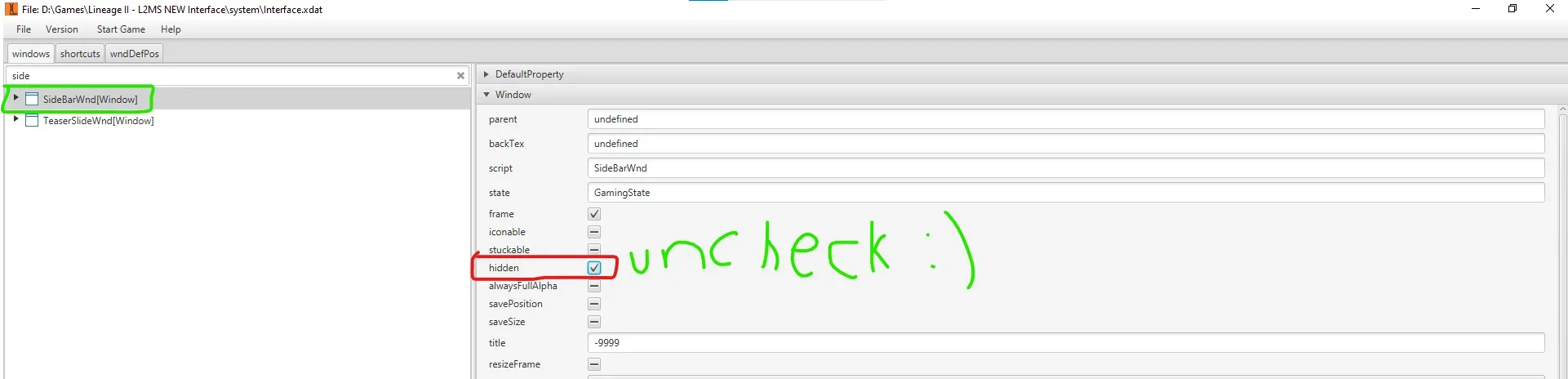
Xdat version?
XDAT-Editor-v1.3.12Xdat version?
Для просмотра скрытого содержимого вы должны войти или зарегистрироваться.

you should sell this my man. very nice ui!


Hey guys how I can remove the add Fav button from the CB?

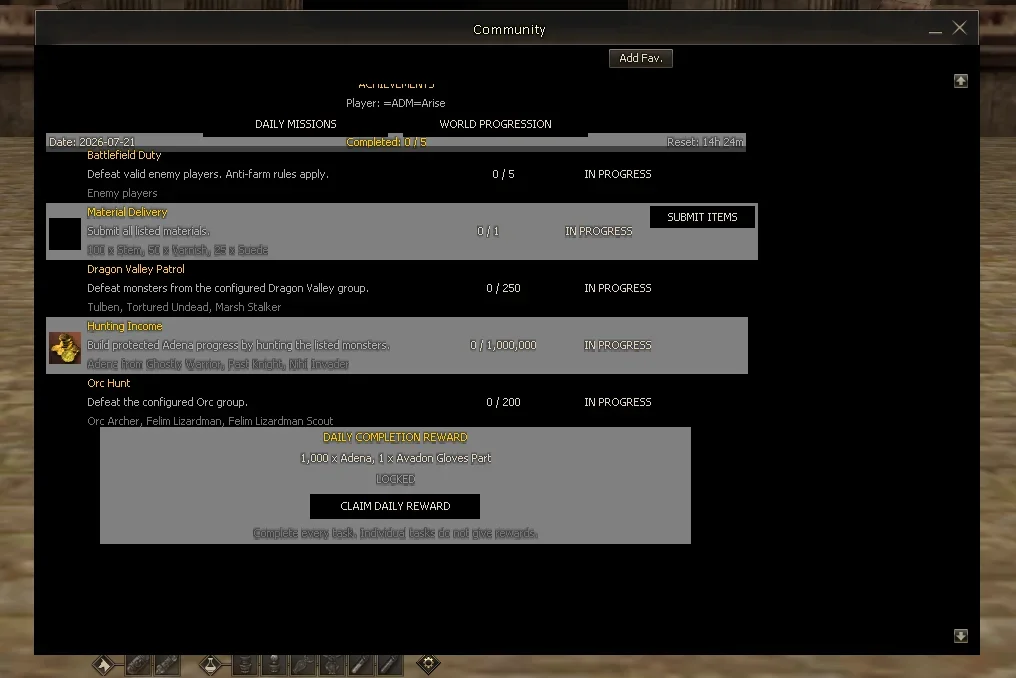
Hey guys how I can remove the add Fav button from the CB?
Посмотреть вложение 96703
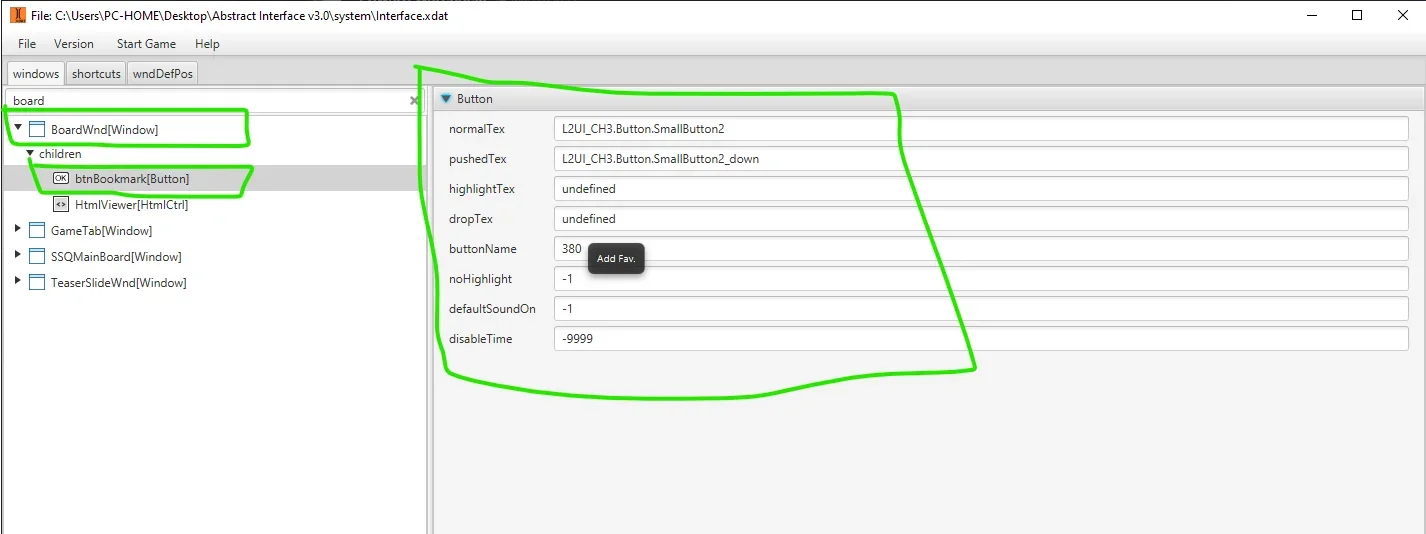

bla interface


I want to hide/remove that title bar (green) completely, but still be able to drag the window by clicking anywhere on its background texture/body instead.
If I disable the native frame (the flag that turns the title bar on/off) and try to reimplement dragging manually in UnrealScript with SetDraggable(true) on mouse-down and SetDraggable(false) on mouse-up, the window starts flying around on mere mouse hover (no button held) and sometimes gets permanently stuck to the cursor with no way to release it.
Is there a proper way to either:
Keep the native title bar's drag behavior but just hide its texture/make it invisible, or
Move the native draggable hit-region to a different part of the window (the body instead of the top strip)?
Any pointers to the right native function or a known trick for this engine (UT2003 / NWindow.dll) would help.
The main goal is to have 1 texture as community board, but the texture need to be draggable.
If I disable the native frame (the flag that turns the title bar on/off) and try to reimplement dragging manually in UnrealScript with SetDraggable(true) on mouse-down and SetDraggable(false) on mouse-up, the window starts flying around on mere mouse hover (no button held) and sometimes gets permanently stuck to the cursor with no way to release it.
Is there a proper way to either:
Keep the native title bar's drag behavior but just hide its texture/make it invisible, or
Move the native draggable hit-region to a different part of the window (the body instead of the top strip)?
Any pointers to the right native function or a known trick for this engine (UT2003 / NWindow.dll) would help.
The main goal is to have 1 texture as community board, but the texture need to be draggable.
Вложения
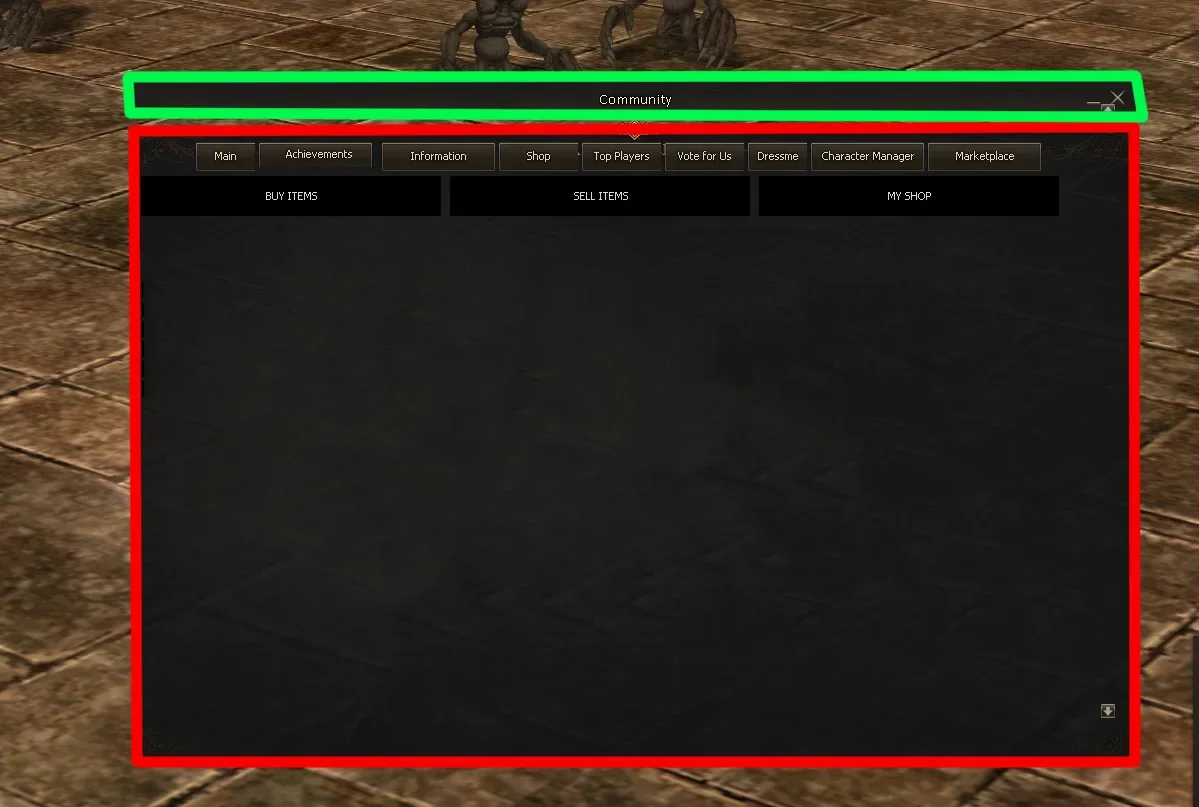


Боже, поменяй высоту самого окна BoardWnd и будет счастье, и перестань переводчиком пользоватьсяI want to hide/remove that title bar (green) completely, but still be able to drag the window by clicking anywhere on its background texture/body instead.
If I disable the native frame (the flag that turns the title bar on/off) and try to reimplement dragging manually in UnrealScript with SetDraggable(true) on mouse-down and SetDraggable(false) on mouse-up, the window starts flying around on mere mouse hover (no button held) and sometimes gets permanently stuck to the cursor with no way to release it.
Is there a proper way to either:
Keep the native title bar's drag behavior but just hide its texture/make it invisible, or
Move the native draggable hit-region to a different part of the window (the body instead of the top strip)?
Any pointers to the right native function or a known trick for this engine (UT2003 / NWindow.dll) would help.
The main goal is to have 1 texture as community board, but the texture need to be draggable.
и посмотри как реализованы другие драг элементы через uc при попадание курсора
Код:
var WindowHandle Me;
var int width;
var int height;

function OnLoad()
{
    RegisterEvent( EV_ShowBBS );
    RegisterEvent( EV_ShowBoardPacket );
    m_bShow = False;
    m_bBtnLock = False;
    Me = GetHandle("BoardWnd");
    Me.GetWindowSize( width, height );
    height = 20;
}

function OnLButtonDown( WindowHandle a_WindowHandle, int X, int Y )
{
    local Rect boardWndRect;
    local int curWndNx, curWndNy;

    boardWndRect = Me.GetRect();
    curWndNx = boardWndRect.nX;
    curWndNy = boardWndRect.nY;
    if (X >= boardWndRect.nX && X <= (boardWndRect.nX + width) && Y >= boardWndRect.nY && Y <= (boardWndRect.nY + height))
        Me.SetDraggable(True);
    else
        Me.SetDraggable(False);
}
Последнее редактирование:
Petr Why did you compile AbstractEx.dll in debug mode instead of release mode? From what I gather, this DLL is just for reading buttons and opening links—serving the same purpose as entry.dll. Will you be making the source code for this DLL available? It gets injected into l2.exe; the execution flow appears to be l2.exe > AbstractEx > NWindow.

Hello WarderS. I am working on a Community Board for the same Abstract Interface and protocol 746.Добрый вечер, как мне исправить ошибки на форуме?
Good evening, how would I go about correcting the community board, please?
Посмотреть вложение 93607
I saw your screenshots on pages 25–27, and your Community Board is exactly the type of result I am trying to achieve. My default BoardWnd is working with size 646x546 and HtmlViewer 627x470, but Community Boards imported from newer chronicles either appear broken because of their dimensions or crash inside NCHtmlViewer::AnalyzeHtml.
Did you create the Warders Community Board yourself, or did you adapt it from another pack?
Could you please explain which files you changed to make it work correctly? Was it only:
- interface.xdat / BoardWnd
- L2UI_CH3.BoardWnd.board_back2
- HTML files
Did you import the Community Board textures into L2UI_CH3.utx, or did you use a separate Interlude-compatible UTX package?
If possible, could you share a sample HTML page, the BoardWnd XML, or just the table dimensions you used? I do not need your server functions or private bypasses; I mainly need to understand the correct visual structure for protocol 746.
Thank you. Your screenshots are the first example I found of a large and well-organized Community Board working correctly with this interface.
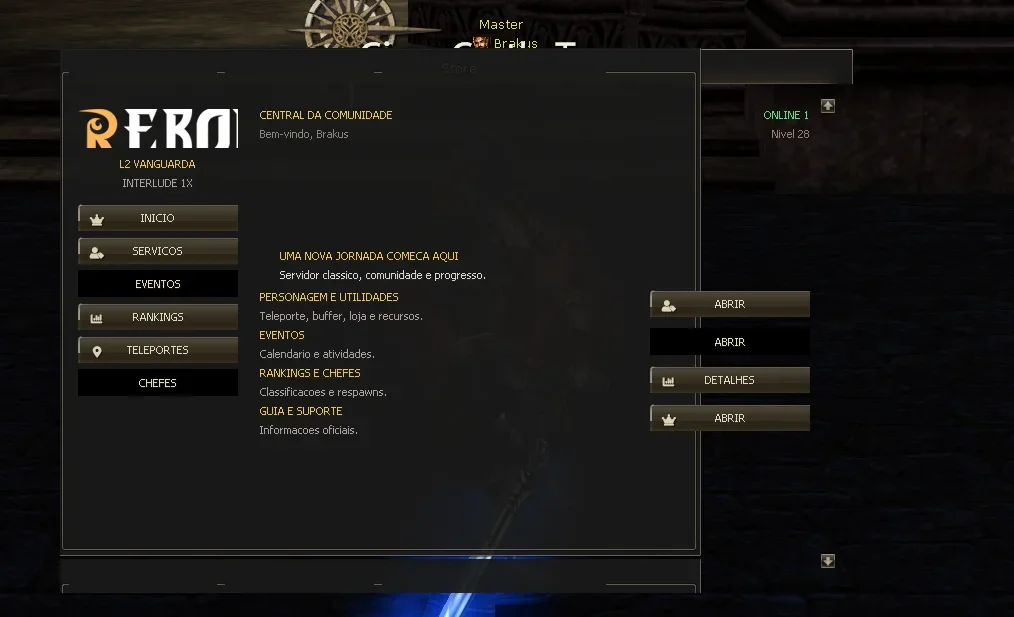
I need some help correctly resizing the Community Board in an Interlude client using the Abstract interface.
I am running a modified aCis Interlude server and I am trying to adapt an HTML + UTX Community Board originally made for another client. The server-side Community Board, bypasses and HTML pages are already working. The remaining problem is the client-side layout in interface.xdat.
The original Community Board values found in my XDAT were approximately:
- BoardWnd: 646 x 400
- HtmlViewer: 620 x 440
- BBS container: 650 x 653
- Background texture control: 650 x 510
- Background texture: Vanguard.BoardWnd.board_back2
L2UI_CH3.BoardWnd.board_back2
The texture itself is 1024 x 512 and its XDAT texture type is already set to Stretch.
I then tried resizing all the related elements:
- BoardWnd: 794 x 546
- HtmlViewer: 768 x 470
- BBS container width: 798
- Background texture control: 798 x 546
- HTML layout width: 768
I attached a screenshot showing the exact result.
Could someone please explain which elements under BoardWnd must be resized and repositioned together?
In particular, I need help identifying the correct settings for:
- BoardWnd
- HtmlViewer
- The BBS/container window
- The main background texture
- texBackTop and texBackBottom, if required
- The bottom bar
- The scrollbar and its buttons
- Width/height values
- Anchor parent, anchor target and X/Y offsets
- Whether board_back2 must also be edited or reimported with a different DDS size
I have:
- The current interface.xdat
- The extracted XDAT/XML source
- The Interface UnrealScript source
- The compiled Interface.u
- The UTX texture packages
- XDatEditor 1.3.12
- A visual XDAT editor
- The server-side aCis Java source
- Screenshots before and after the modifications
I have been trying to solve this for more than a month, so any exact values, screenshots from XDatEditor, or explanation of the correct parent/child hierarchy would be greatly appreciated.
Thank you.
Вложения
Последнее редактирование:
Does anyone know from where this chat window is drawn? I guess its from dll file but which one? And what are the class names?
I can't find any info about it.

I can't find any info about it.
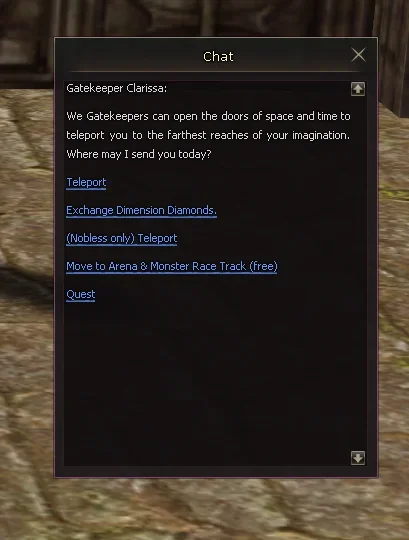


in Nwindow.dllDoes anyone know from where this chat window is drawn? I guess its from dll file but which one? And what are the class names?
I can't find any info about it.
Посмотреть вложение 96893
-----------------------------------------------------------------------------------------------------------
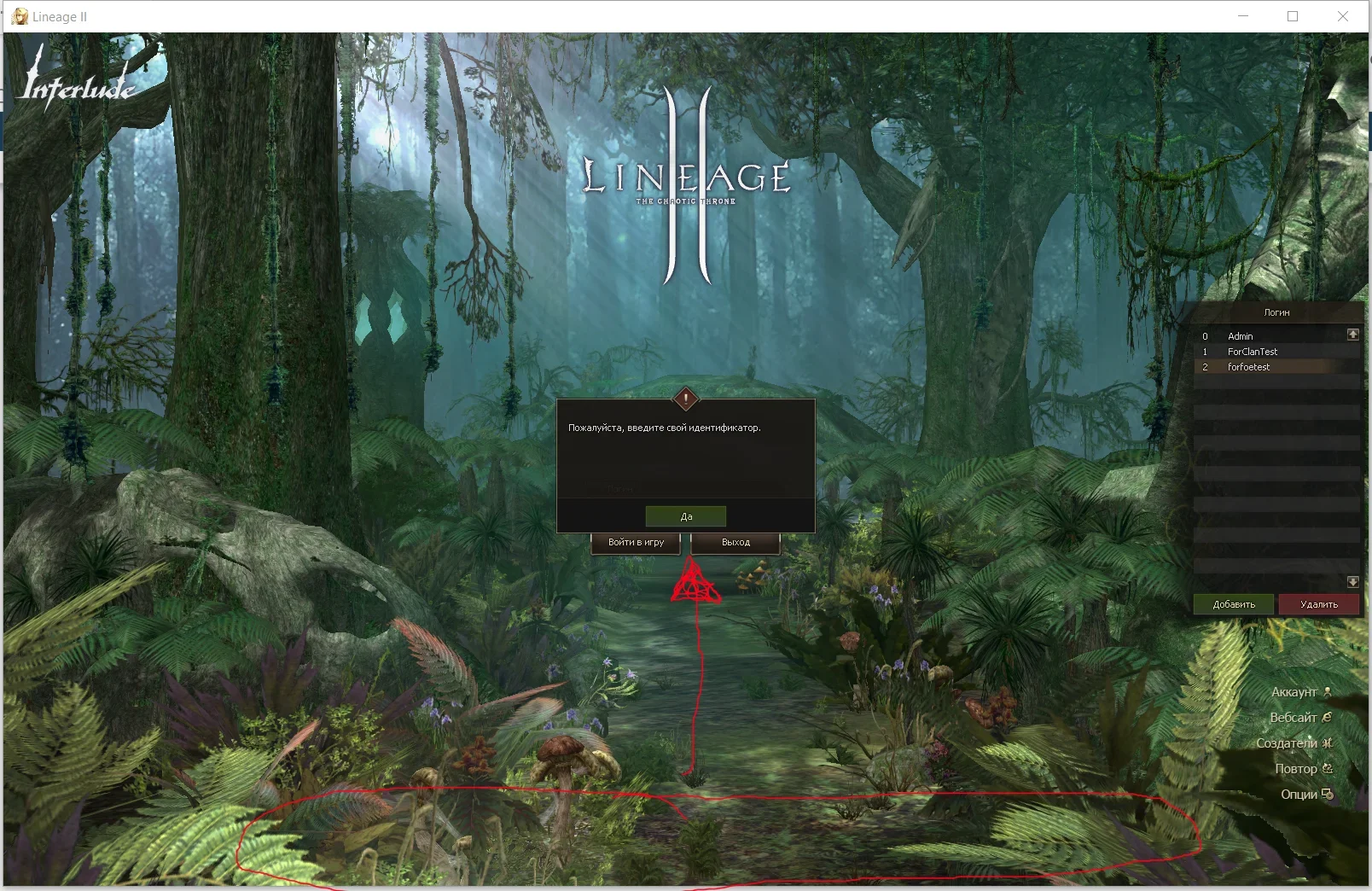
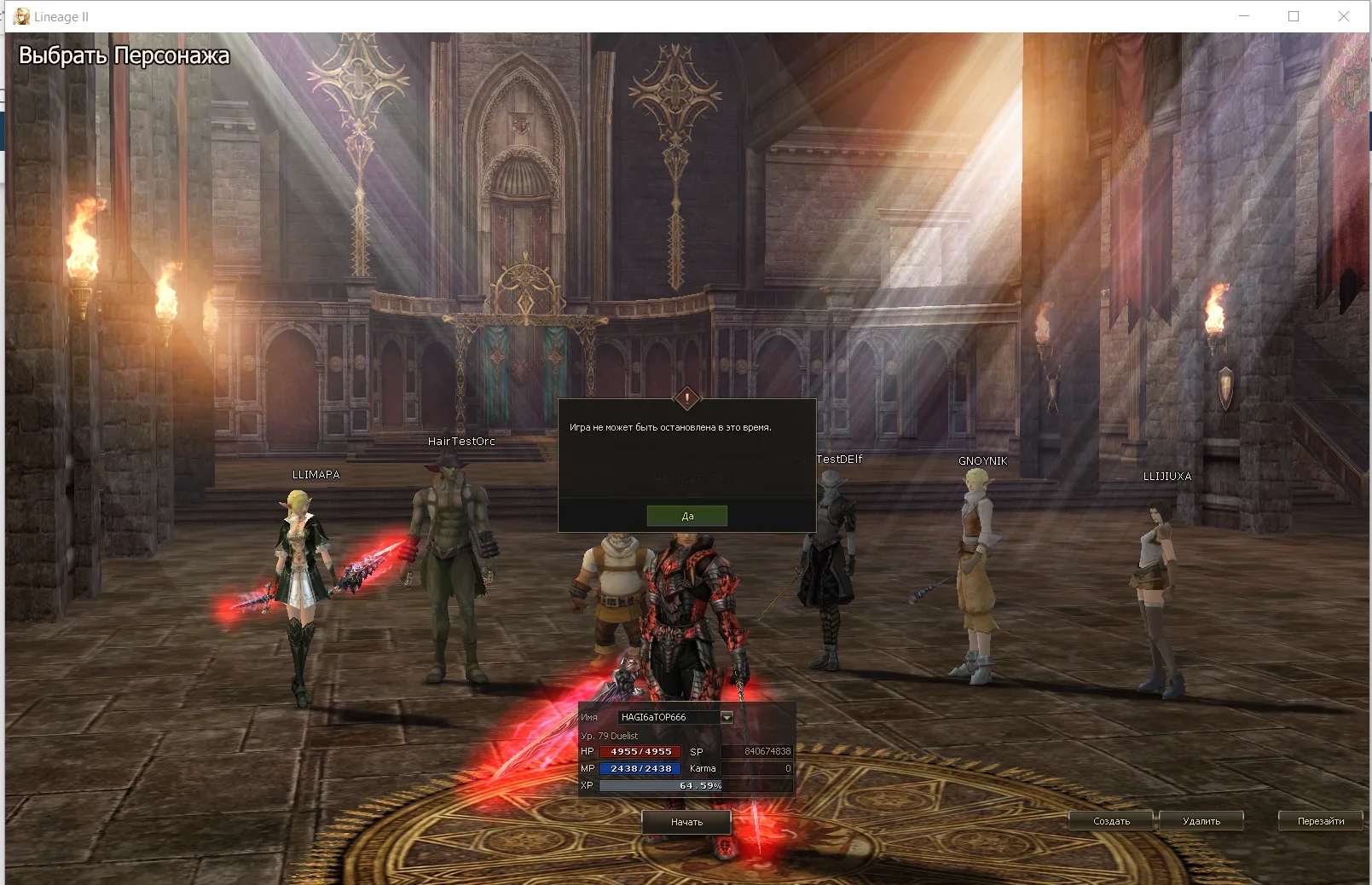
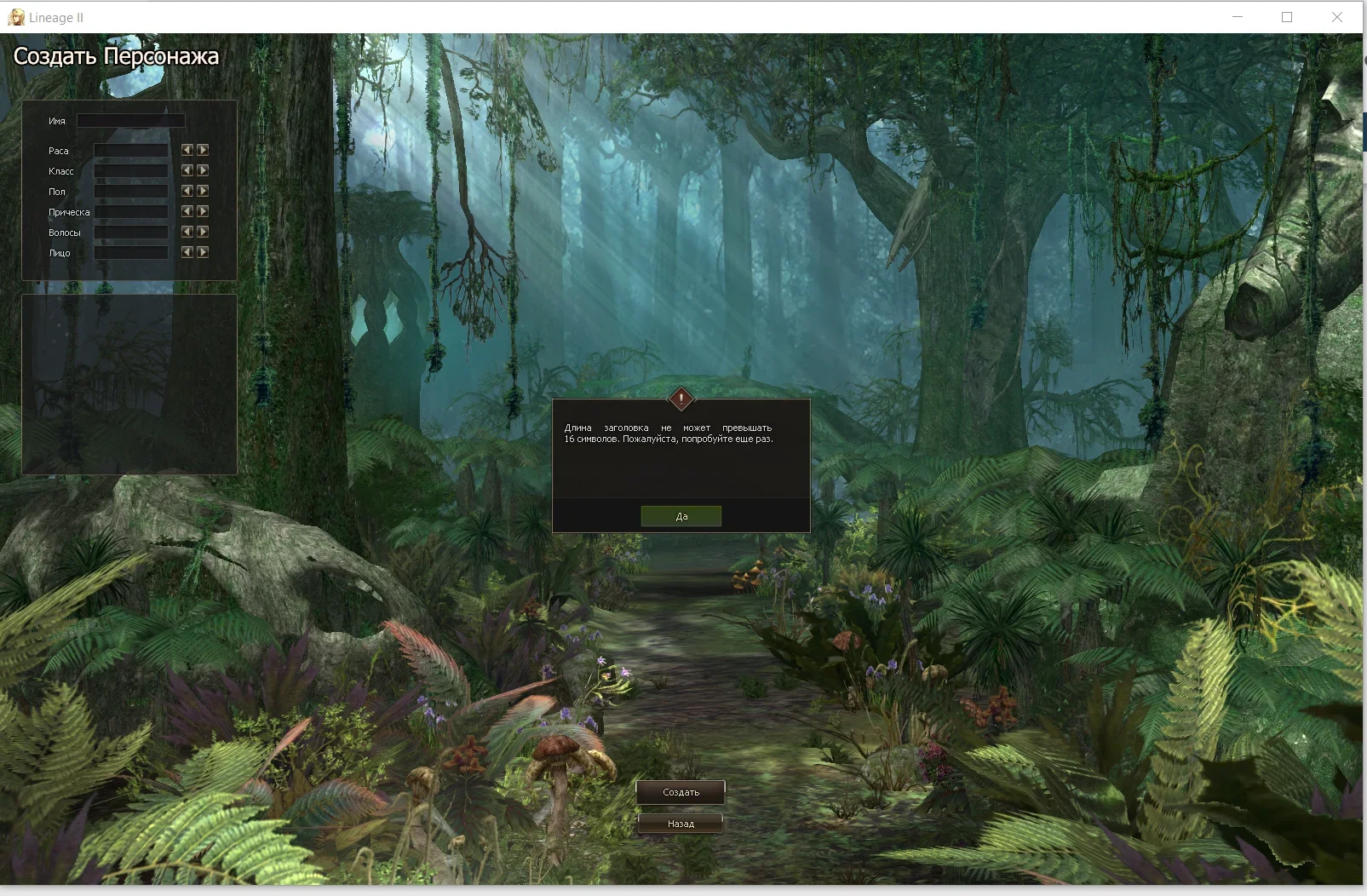
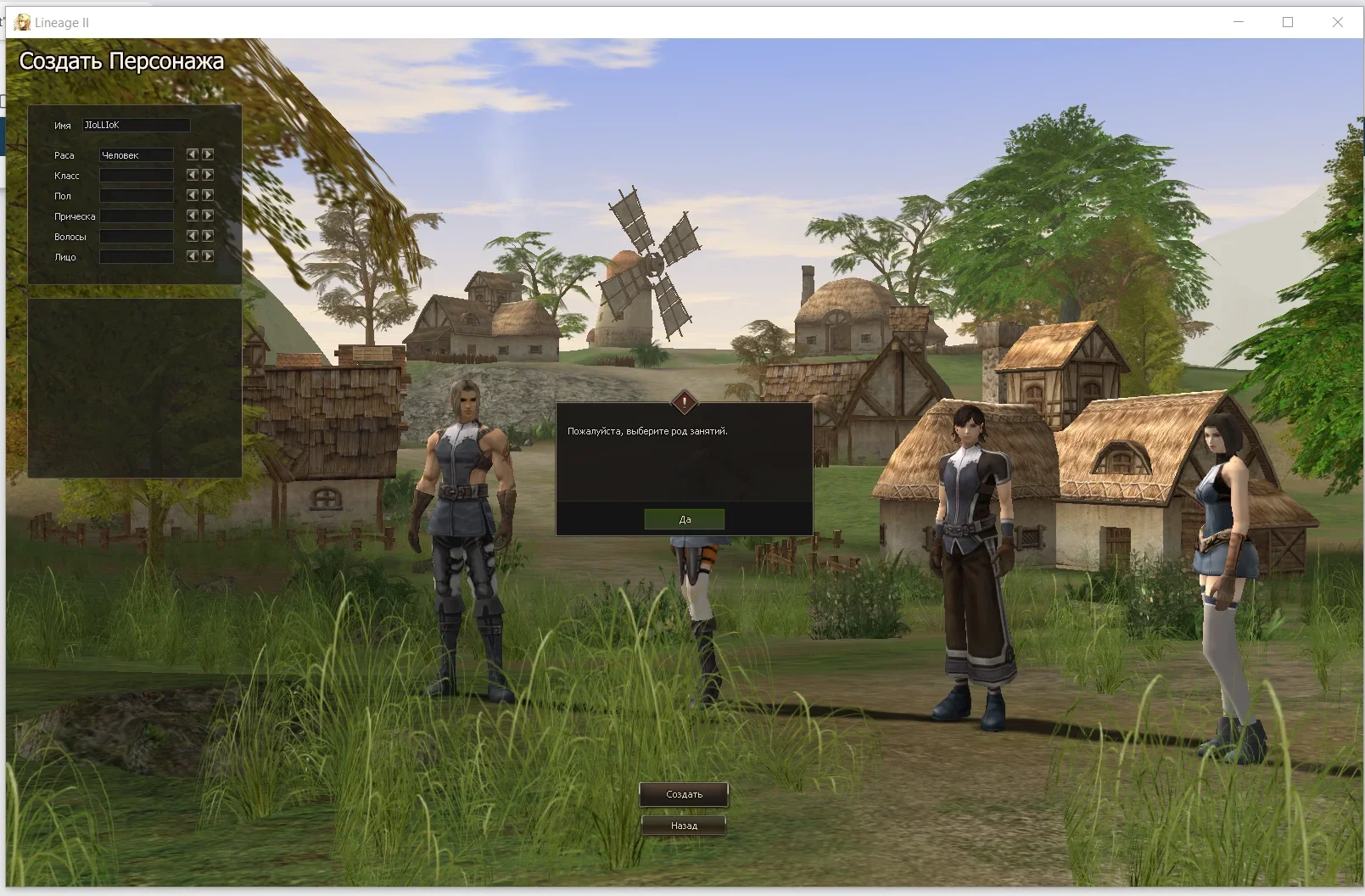
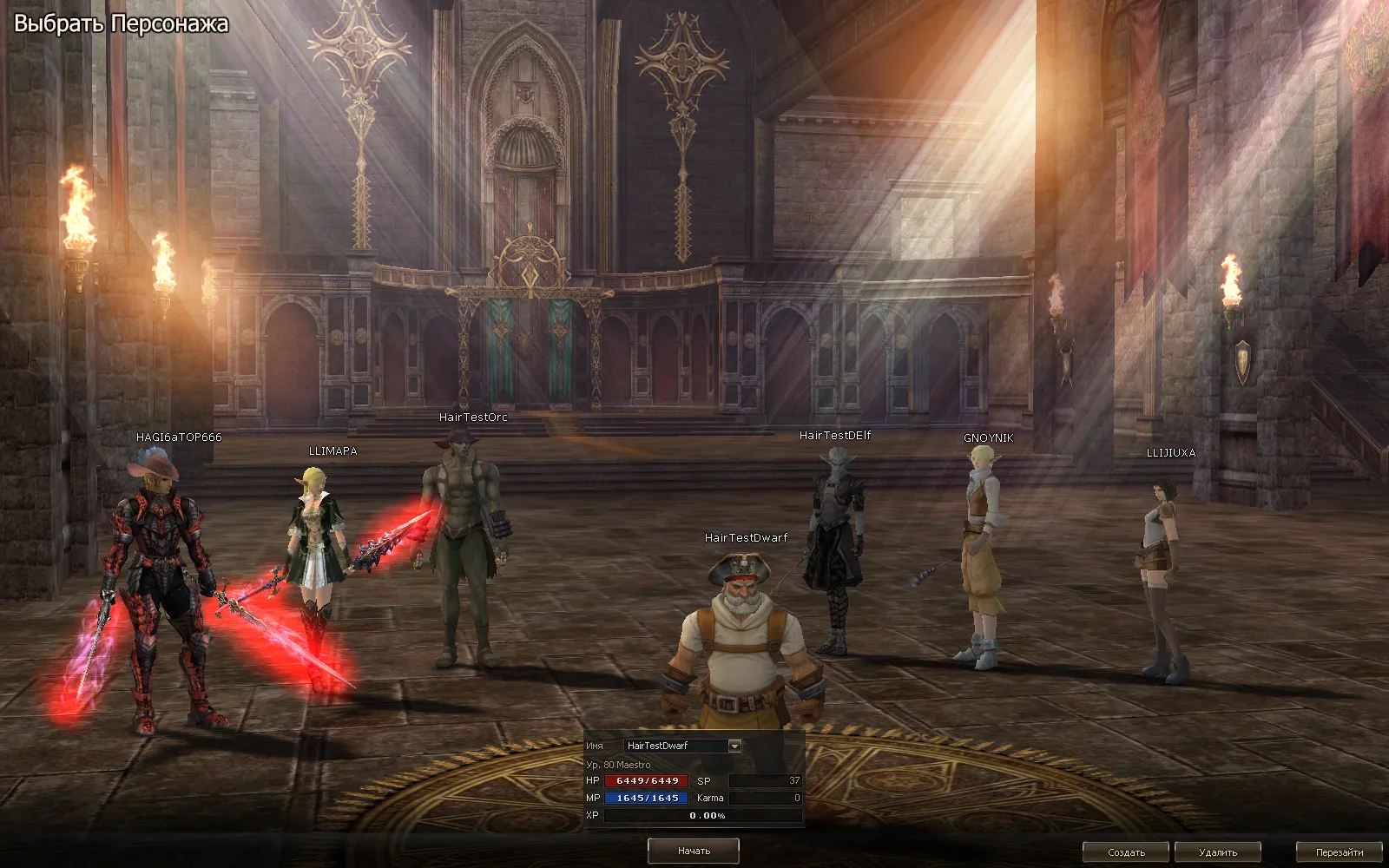
Получилось перевести (не буду врать всё сделала ИИ) уведомления при логине и создании чара в диалоговые окна или по желанию в любой другой вид UI (нужно ли оно?)
Теперь UI при выборе чара можно будет опустить пониже что б вашего нагибатора было лучше видно (скрин 2) (Изменил и добавил последний скрин)
Так же будет небольшая оптимизация клиента.
Сообщение объединено:
Так же ИИшка написала хук на автососки если не будет критов то осталось только оформить красиво UIНа первом видео показано когда соска не установлена на шорткатах
На втором когда установлена
Вложения
Последнее редактирование:
What reverse-engineer modifications had to be made for this client? Is it possible to find out?
Well, I don’t think I’ve checked whether you’ve posted anything in the open-source section regarding the source code for each DLL modification – that would be really helpful. Best regards
Well, I don’t think I’ve checked whether you’ve posted anything in the open-source section regarding the source code for each DLL modification – that would be really helpful. Best regards
Последнее редактирование:
Along with the update, I'll include the source code written by the AI.What reverse-engineer modifications had to be made for this client? Is it possible to find out?
Well, I don’t think I’ve checked whether you’ve posted anything in the open-source section regarding the source code for each DLL modification – that would be really helpful. Best regards
Will there be an update for maybe HuntPass or L Coin Shop? i tried to create it myself but i'm not that good or my tools are not good i end up breaking the interface xdat completely and then i have to restore backup every time i use the visual editor.Along with the update, I'll include the source code written by the AI.
I would also like to ask for the psd of the front text
 if possible, i want to add a discord button there but i can't re-create the style.
I also noticed Alt+B opens, but it doesn't close it just re-open did i mess this up or it was like that?
Thank you for the amazing work! I never bothered with interface before, your source got me trying ^^


